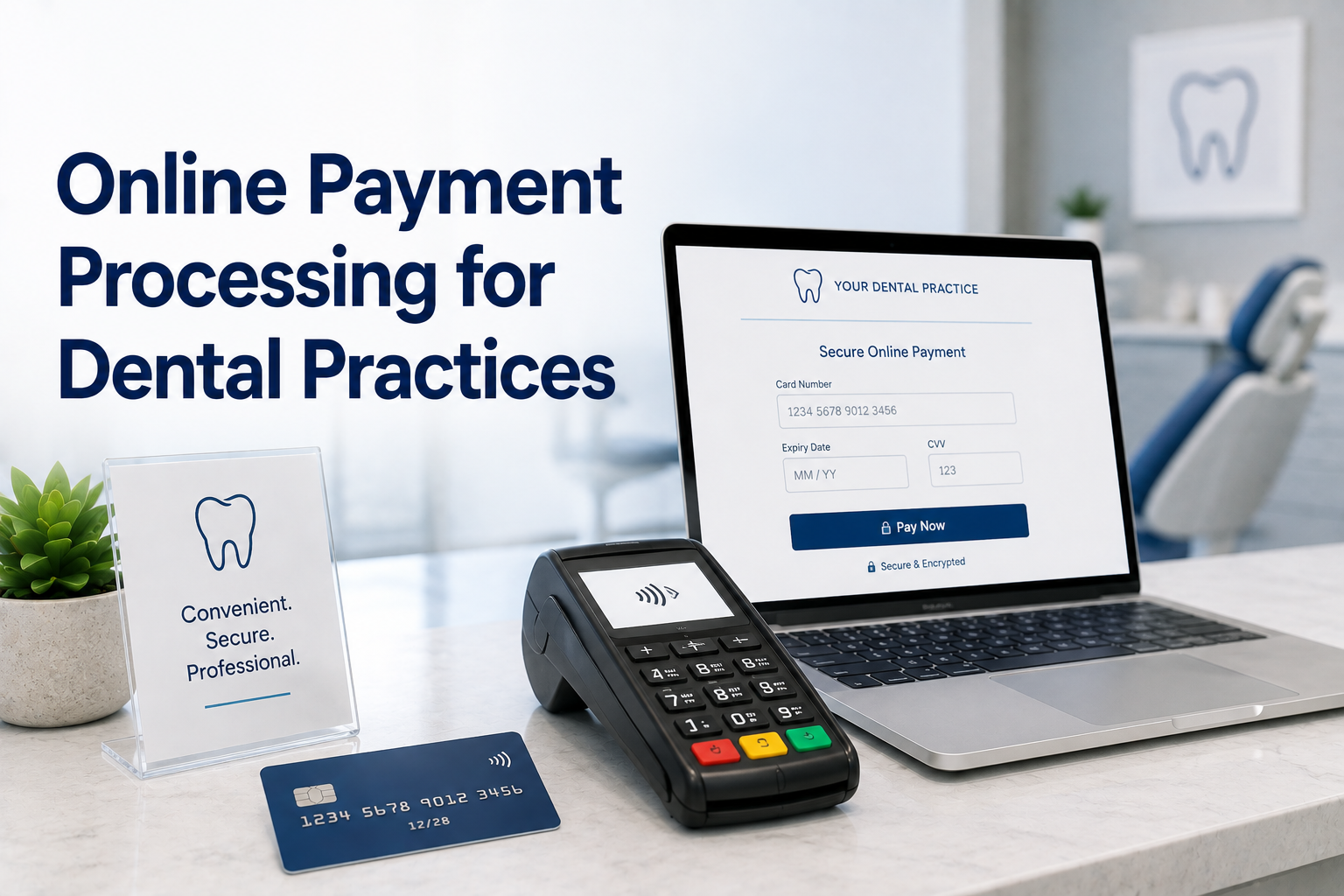
Online Payment Processing for Dental Practices: Getting Balances Paid Faster

Online payment processing gives dental practices something the front desk cannot: a way for patients to pay without anyone at the practice being involved. No phone call, no envelope, no waiting for someone to be free. The patient gets a link, pays from their phone, and the balance closes itself.

That matters most for the money dental practices find hardest to collect. The copay at check-out is easy because the patient is standing there. The balance left after insurance adjudicates is a different problem entirely, and it is usually the larger number.

This guide covers why those balances are difficult, how online payments change the collection process, and what to look for in a system.

Why Post-Insurance Balances Are the Hard Ones

The sequence works against you. A patient is treated, the claim goes out, and weeks later the insurer pays its portion. Only then does the practice know what the patient owes, and by that point the patient has been gone for a month and has largely stopped thinking about the appointment.

What usually happens next is a statement in the mail, then a follow-up statement, then a phone call. Each step costs staff time, and each adds delay. Meanwhile the patient may fully intend to pay and simply never be at their desk with a chequebook at the moment they remember.

The problem is rarely unwillingness. It is friction. Every additional step between owing money and paying it is a place where the payment stalls.

Two Different Jobs: Online Payments and Virtual Terminals

These get conflated, and the distinction is worth keeping straight because a practice needs both.

A virtual terminal is staff-initiated. Someone at the practice logs in and keys the payment, typically while the patient is on the phone. Useful for treatment deposits taken at scheduling and for patients who would rather read a card number aloud than use a website.

Online payment processing is patient-initiated. The practice sends an emailed invoice or points the patient to a payment page, and the patient completes it themselves, whenever suits them. No staff time is consumed at all.

The second scales in a way the first cannot. A practice can send fifty invoices in the time it takes to make three phone calls, and the patient who pays at nine in the evening was never going to be reached during office hours anyway.

What Changes When Patients Can Pay Themselves

Practices that add a patient-facing payment option tend to notice the same handful of effects.

Balances close sooner. Paying takes under a minute from a phone, so the payment happens while the patient is thinking about it rather than being deferred to a task they will do later.

The front desk gets time back. Collection calls are among the least pleasant and least productive things a dental front desk does. Removing even half of them is meaningful in a small team.

Fewer card numbers move by voice. A patient paying through a secure page never reads a card number to a staff member, which removes the most common way card details end up written on paper in a dental office.

Records stay in one place. When online payments land in the same transaction history as counter payments, reconciliation does not fragment across systems.

What to Look For

Not every online payment setup suits a dental practice. These are the details worth checking:

  • Emailed invoices with a payment link. The practical mechanism for post-insurance balances, and far more effective than a mailed statement.
  • A payment page you can point patients to. Linked from your website so a patient can pay without needing an invoice in hand.
  • Mobile-friendly by default. Most patients will open the link on a phone. If the page is awkward there, the friction you removed comes straight back.
  • ACH and electronic check as an option. Larger balances often move by bank transfer, and patients appreciate the choice.
  • Automatic receipts. Sent on payment, without anyone at the practice having to send one.
  • One transaction history. Online payments visible alongside every other payment, not in a separate portal with separate reporting.
  • Tokenized storage for repeat payers. So a patient on a treatment plan is not re-entering details each time.

BlueYonder includes emailed invoices and an online payment portal for your website as part of its dental merchant services, so patient-initiated payments arrive in the same records as everything else.

Keeping Online Payments Secure

Patients are reasonably cautious about paying online, and a dental practice should be able to answer questions about it plainly.

The essentials are the same ones that apply to any payment channel: PCI-compliant processing, card data encrypted in transit, and tokenized storage so the practice never holds card numbers in its own systems. A properly built payment page also means the practice never receives card details by email or text, which is where the real risk in most offices sits.

It is worth telling patients this directly. A short line on the invoice explaining that payments are processed securely and that the practice never sees or stores the full card number removes most hesitation. Our post on secure dental payment processing covers the wider security picture.

Making It Routine

Online payment processing works best when it is the default rather than the fallback. Practices that see the biggest change send an invoice as soon as the insurance portion is known, rather than after the second statement, and include the payment link everywhere the balance is mentioned.

The point is not to remove the phone call entirely. It is to make sure the phone call is the exception rather than the collection process.

BlueYonder Corp provides dental practices with emailed invoicing, an online payment portal, ACH, and tokenized card storage on flat monthly pricing, with no contracts, no equipment fees, and no hidden charges. See our dental payment processing page, read more on why dentist merchant services matter, or call 800-270-9285.
Innovative Dental Payment Processing: What Modern Actually Means

Innovative dental payment processing sounds like it should involve new hardware. In practice, the meaningful changes of the last several years have gone the other way: less equipment, less paper, and fewer separate systems doing jobs that should have been one job all along.

Most dental practices are not held back by missing technology. They are held back by a payment setup assembled years ago, one addition at a time, that nobody has looked at as a whole since. It works, so it survives, and the cost of it never appears on a single line anywhere.

This guide covers how to tell whether your setup has fallen behind, what genuinely changed, and which upgrades are worth paying for.

Signs a Dental Payment Setup Has Fallen Behind

None of these are catastrophic on their own. Together they describe a practice doing manually what its payment system should be doing.

  • Card details live on paper. Authorization forms in a folder, or a number written down during a phone call to be keyed in later.
  • Payments only happen at one desk. If the terminal is busy or the patient is not physically present, collection waits.
  • Someone re-enters cards every month. Membership plans and payment arrangements handled by a person with a list and a reminder.
  • Patients still mail checks. Post-insurance balances collected by statement and envelope, with the delay that implies.
  • Card payments, ACH, and plans live in different places. Three systems, three logins, three sets of records to reconcile.
  • Month-end takes an afternoon. Reconciliation as a project rather than a glance.

If several of those describe your practice, the gap is not that you lack innovation. It is that the workload has quietly migrated from the software to your staff.

What Actually Changed

Four shifts account for most of the difference between a current dental payment setup and one that has not been revisited in a decade.

From hardware to software. Taking a payment used to require a dedicated machine on a counter. A web-based virtual terminal turns any computer, tablet, or smartphone the practice already owns into a place a payment can be taken, which removes both the equipment cost and the physical constraint.

From stored paper to stored tokens. Practices used to keep card details on file literally. Tokenization replaced that with a reference the system can charge against, so repeat payments never require anyone to handle the original number again.

From one payment method to several. Cards, ACH and electronic checks, and online payments through an emailed invoice now belong in one workflow rather than three, because a patient balance can arrive by any of them.

From manual billing to scheduled billing. Membership plans and staged treatment payments run on their own once set up, instead of depending on someone remembering.

What Modern Dental Payment Systems Actually Do

Translated into daily practice, a current setup should handle all of this without a workaround:

  • Take a payment from anywhere. Front desk, treatment coordinator’s office, second location, or a phone call, all through the same system and into the same records.
  • Charge a stored card without re-entry. Deposit at scheduling, balance at delivery, no card details touched twice.
  • Run treatment plans and memberships on schedule. Automatically, with a record of each charge.
  • Send an invoice a patient can pay from a phone. The fastest route to collecting a post-insurance balance.
  • Accept bank payments alongside cards. Larger balances often move by ACH, and they should not require a separate process.
  • Produce receipts and one transaction history. Every payment, however taken, in one list.
  • Give each staff member their own access. Individual logins with permissions scoped by role, across every location.

These are the capabilities behind BlueYonder’s dental merchant services, which is the point: they belong in one system rather than assembled from four.

What Innovation Is Not

Worth saying plainly, because the word gets used to sell things that do not help.

Innovation is not more hardware. A newer terminal on the same counter solves nothing that a web-based system had already solved by removing the counter constraint. Long equipment leases in particular tend to outlive the equipment’s usefulness, under a separate agreement with its own term.

It is not more integrations either. Practices routinely pay monthly for connections that were configured during onboarding and never used again. An integration only earns its cost if someone relies on it weekly.

And it is not a longer feature list. The measure of a payment system in a dental practice is how much work it removes from the front desk, not how many capabilities appear on the sales sheet. A system with fewer features that your team actually uses beats a comprehensive one nobody has time to learn.

The same scepticism applies to pricing dressed up as a feature. Tiered rates and bundled add-ons are presented as flexibility, when the practical effect is that you cannot tell what any individual thing costs.

Security Came Along With It

The shift away from paper and shared hardware happens to solve most of the security problems dental practices actually have. Card numbers that never get written down cannot be lost. Tokenized storage means the practice is not holding data worth stealing. Individual logins make access traceable rather than collective.

Our post on secure dental payment processing goes through those practices in more detail, but the short version is that modernizing and securing a dental payment setup are largely the same project.

Changing Without Disrupting the Practice

The usual objection is timing. No practice wants a payment system experiment during a full schedule.

Two things make it less risky than expected. A browser-based system needs no installation, so training is measured in minutes rather than days. And you do not have to cancel your existing processor to set up a new one, which means the old system stays available while your team gets comfortable. Most practices close the old account within the first month, but on their own timing rather than a single switchover day.

If you are weighing providers more broadly, our post on why dentist merchant services matter to dental practices covers the evaluation criteria.

Modern Where It Counts

Innovative dental payment processing is not a category of product. It is the difference between a practice where payments are handled by the system and one where they are handled by people working around the system. The test is simple: count how many payment tasks in your week require a human to remember, re-enter, or chase something.

BlueYonder Corp provides dental practices with a web-based virtual terminal, tokenized card storage, ACH, and online invoicing on flat monthly pricing, with no contracts, no equipment fees, and no hidden charges. See our dental payment processing page, or call 800-270-9285 to talk through your current setup.

Healthcare vs Retail Credit Card Processing: What Is Actually Different

The difference between healthcare vs retail credit card processing is not a marketing distinction invented to justify higher prices. The two settings collect money in genuinely different ways, and a system designed for one tends to work badly in the other.

This matters because most merchant accounts sold to practices are retail products with a healthcare label attached. They work, in the sense that a card will be charged. They just make everything around that charge harder than it needs to be.

Here is what actually differs, and what it means when you are choosing a provider.

Who Pays, and When

This is the fundamental split, and everything else follows from it.

In retail, one person pays the full amount at the moment of sale. The transaction opens and closes in seconds, and the business knows immediately that it has been paid.

In healthcare, the bill is usually divided. A payer covers part, the patient covers the rest, and the patient’s share is often unknown at the time of the visit. The practice collects a copay at the desk, submits a claim, waits for adjudication, and only then finds out what the patient still owes. By that point the patient left weeks ago.

A retail system assumes the customer is standing in front of you. Healthcare needs to collect from people who are not, which is why phone payments, emailed invoices, and online payment options stop being conveniences and become core requirements.

Not every healthcare setting works this way. Veterinary clinics and elective cosmetic practices collect in full at the time of service, closer to the retail pattern, but with transaction sizes retail rarely sees.

Transaction Patterns Look Nothing Alike

Retail transactions cluster. A shop has a fairly predictable average sale, and most transactions land near it.

Healthcare transactions scatter. The same practice might take a $30 copay, a $400 balance, and a $12,000 treatment plan in the same afternoon. That range has two consequences.

The first is cost. Percentage-based pricing was built for consistent, modest transactions. Applied to a large treatment case, the same percentage becomes a substantial sum for a service that costs the processor no more to perform.

The second is timing. Retail is paid once. Healthcare frequently charges the same patient repeatedly across weeks or months, through deposits, staged treatment payments, and payment arrangements. That requires securely stored payment credentials, which a basic retail terminal has no reason to offer.

What Happens to the Data

Both settings handle card data, and both are bound by PCI DSS, the card industry’s security standard. That part is shared.

Healthcare adds a second layer. A payment record tied to an identifiable patient and a specific practice can reveal something about that person’s care, which brings privacy obligations retail never has to think about. A shop’s transaction log says someone bought something. A clinic’s transaction log can imply who was treated and for what.

The practical result is that healthcare needs tighter control over who can see payment records, individual staff logins rather than a shared terminal password, and a strong preference for storing tokens instead of card numbers. None of that appears on a retail requirements list.

Where the Payment Actually Happens

Retail has a counter. Sometimes several, but they are all in the same place, and hardware sitting at each one makes sense.

Healthcare payments happen at the front desk, over the phone during scheduling, from a billing office after a claim comes back, at a second location on the days a provider works there, and increasingly from the patient’s own phone after an emailed invoice. Curbside handoffs and after-hours emergency visits add more.

Tying payments to a physical device in one location forces staff into workarounds: numbers written down to be keyed in later, or patients told to call back when the right person is in. A web-based virtual terminal that works from any computer, tablet, or smartphone removes that constraint, which is why it matters far more in a practice than in a shop.

Why Retail-Built Systems Cost Practices More

Put those differences together and the cost problem becomes clear.

Percentage pricing does not fit the transaction range. It was designed for predictable small sales, and healthcare’s large cases get taxed heavily for no additional service.

Monthly minimums punish uneven volume. Practices have quiet months. Retail-oriented pricing assumes steady throughput and charges a shortfall when it does not arrive.

Equipment is priced for a counter. Terminal leases assume a fixed point of sale, and practices end up paying for hardware at desks that barely use it, often under a separate non-cancellable agreement.

Missing capabilities get bought separately. Stored cards, invoicing, and online payments arrive as add-ons with their own monthly fees, because the base product never anticipated needing them.

Our guide to credit card processing for medical practices covers what this looks like on a real statement, and credit card processing for medical offices looks at the same question from an operations angle.

What to Take Into a Provider Conversation

You do not need a processor that markets itself to healthcare. You need one whose product answers the four differences above.

Ask how you collect from a patient who is not in the building. Ask how a card is stored between a deposit and a final payment. Ask whether every staff member gets their own login. Ask what the pricing does when a single transaction is unusually large, and what happens in a slow month.

A provider that handles practices routinely will answer all four without hesitation. One selling you a retail account with a healthcare page on its website will start explaining why those situations are unusual.

Processing Built Around How Practices Collect

The healthcare vs retail credit card processing question comes down to this: retail is one payment, one place, one moment. Healthcare is several payments, several channels, spread across weeks, attached to information that deserves care. A system that treats the two the same will always leave the practice doing the difference manually.

BlueYonder Corp works with medical, dental, and veterinary practices on flat monthly pricing, with a web-based virtual terminal, securely stored cards, no contracts, and no hidden fees. To talk through how your practice collects today, call 800-270-9285.

Payment Processing for Plastic Surgeons: What High-Value Practices Need

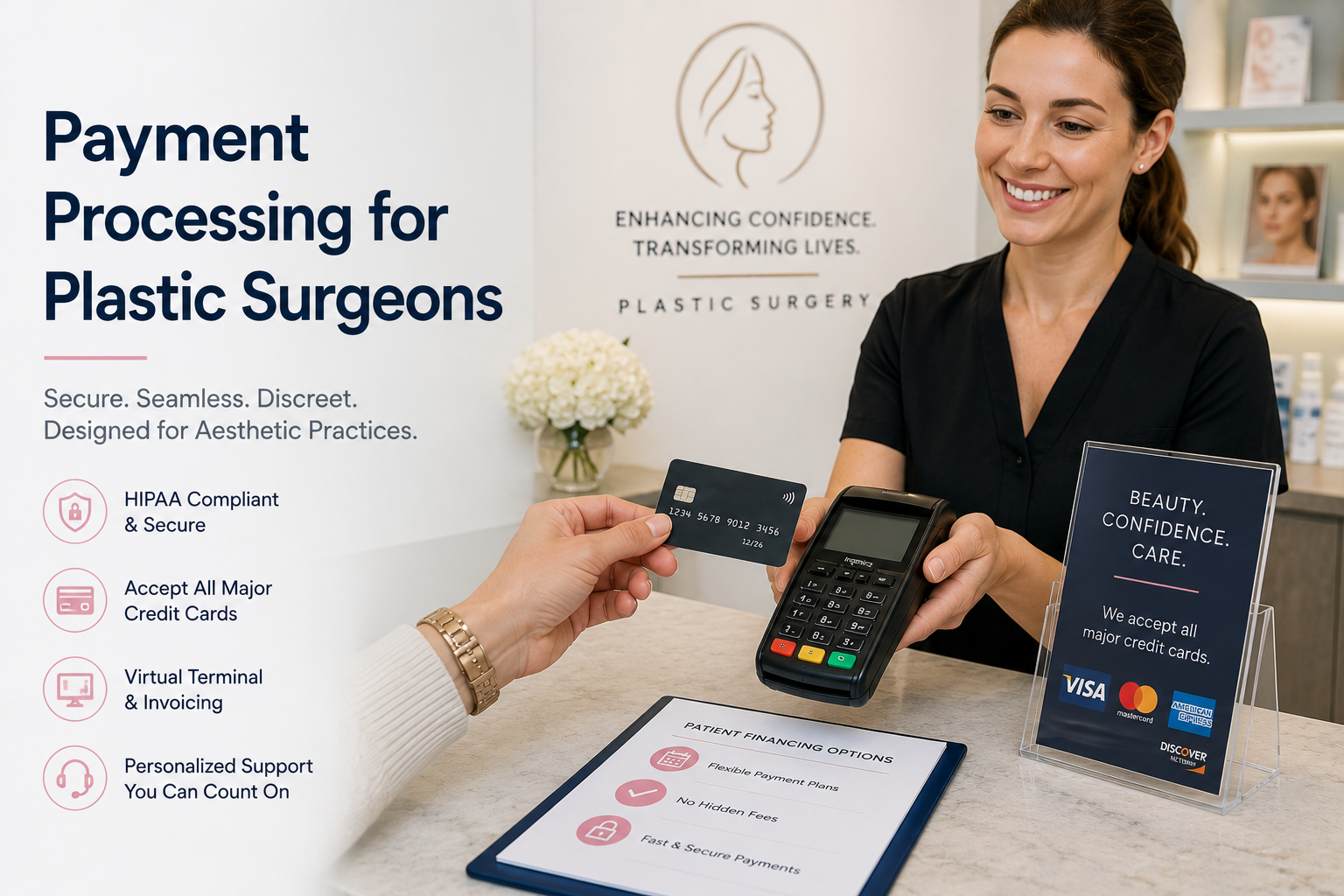
Payment processing for plastic surgeons works differently from the rest of healthcare for one structural reason: there is usually no insurer involved. Cosmetic procedures are elective and self-pay, so the practice collects one hundred percent of the fee directly from the patient. Nothing is offset by a payer, and nothing arrives weeks later from a claim.

Combine that with the size of the average case and the arithmetic becomes hard to ignore. A single procedure can run from a few thousand dollars into the tens of thousands, and a percentage-based processor takes its share of every one of them.

This guide covers what makes cosmetic and plastic surgery payments distinct, what percentage pricing costs on a per-case basis, how deposits and staged payments should work, and what to look for in a provider.

Why Elective, Self-Pay Practices Are Different

Most payment advice written for healthcare assumes a claim cycle. Cosmetic practices do not have one, which changes several things at once.

The patient is the entire payer. There is no partial coverage softening the amount, so the sum on the card is the full price of the procedure. That makes the payment conversation part of the consultation rather than an administrative afterthought.

Money moves before the procedure, not after. Deposits hold surgery dates, and balances are typically settled in advance. Your payment system has to charge the same patient more than once, weeks apart, without anyone re-collecting card details.

The decision is considered. Patients research, consult, compare, and often think for months. By the time they pay, they have invested significant emotional energy, and a clumsy or opaque payment step is a poor final impression on a high-value transaction.

Discretion matters. Patients undergoing cosmetic work often care how a charge appears and who sees it. Handling that professionally is part of the service.

What Percentage Fees Cost Per Case

In most businesses, percentage pricing is discussed as an annual total. In cosmetic surgery it is easier to see one procedure at a time.

Take a $15,000 procedure. At a typical healthcare processing rate of around 2.4%, collecting that payment costs the practice roughly $360. Not per month. On one case. A practice performing four of those in a month has paid well over a thousand dollars simply to accept payment for work it had already done.

Scale that across a year and the number becomes one of the larger controllable expenses in the practice. Our plastic surgery center case study walks through what this looked like for one real practice, including the volume of procedures paid by card and what changed after switching.

The layered fees compound it. Monthly minimums, statement charges, PCI fees, equipment leases, and cancellation penalties all sit on top of the headline rate, and they rarely appear in the original quote.

Deposits, Staged Payments, and Cancellations

The payment pattern in a cosmetic practice is predictable, and it is worth checking that your system handles all of it cleanly.

A consultation leads to a quote. A deposit secures the date, often taken over the phone days or weeks ahead. The balance is collected before the procedure. Post-operative visits, garments, or skincare may be billed afterward. Some practices also run membership or maintenance programs for injectables and treatments on a recurring schedule.

Every one of those steps involves the same patient and the same card. Tokenized card storage is what makes this workable: the system keeps a secure token rather than the card number, so the deposit, the balance, and any later charge can each be taken without staff handling the original details again or keeping an authorization form in a folder.

Cancellations deserve attention too. High-value elective procedures get rescheduled and occasionally disputed, so clear documentation matters: itemized receipts, a written deposit and cancellation policy the patient acknowledges, and a complete transaction history you can retrieve quickly if you ever need to evidence a charge.

What to Look For in a Provider

Whether you run a surgical practice, a cosmetic clinic, or a med spa, these are the capabilities that matter:

  • Pricing that does not scale with case value. The single biggest lever in a high-ticket practice. A processor taking a percentage of a $20,000 procedure is charging you for the size of your work, not the cost of the service.
  • Tokenized card storage. Essential for deposit-then-balance sequences and for any recurring treatment program.
  • A web-based virtual terminal. Deposits are frequently taken by phone during scheduling, so your coordinator needs to key a payment securely from any computer, tablet, or smartphone rather than writing a number down first.
  • Emailed invoices and online payment. Let a patient settle a balance from their phone in their own time, which suits the considered nature of these decisions.
  • ACH and electronic check support. Some patients prefer a bank transfer for larger amounts, and it keeps those payments in one workflow.
  • PCI-compliant processing. Encryption in transit and tokenized storage, so card data never sits in your own systems.
  • Complete transaction records and receipts. Itemized documentation for every payment, retrievable when you need it.
  • Multi-location roles and permissions. Practices with a surgical suite and a separate med spa need one platform with access scoped by role.

Why Flat-Rate Pricing Suits High-Value Practices

Percentage pricing penalizes exactly the practices that perform the most valuable work. The processor’s cost of handling a $20,000 transaction is essentially identical to handling a $200 one, but the fee is a hundred times larger.

Flat-rate pricing severs that link. Some providers, including BlueYonder, charge one flat monthly rate for processing rather than a share of each transaction, so a major surgical case costs the same to collect as a follow-up visit, and a strong month is not taxed for being strong. Our explainer on what flat rate credit card processing is covers how the two models compare.

Equally important is what is absent: no long-term contract, no cancellation fee, no equipment charge, and no line items appearing between statements without explanation.

Getting the Payment Step Right

Good payment processing for plastic surgeons is mostly invisible. Deposits are taken in a minute over the phone, balances settle before the date, records are clean if a question ever arises, and the cost of collecting does not rise just because the procedure was a large one.

BlueYonder Corp works with plastic surgery centers, cosmetic clinics, and med spas on flat monthly pricing, with no contracts, no equipment fees, and no hidden charges. See our credit card processing for plastic and cosmetic surgery page for what is included, or read our companion guide to credit card processing for medical practices. To talk through your setup, call 800-270-9285.

Doctor’s Office Merchant Services: What Small Practices Actually Need

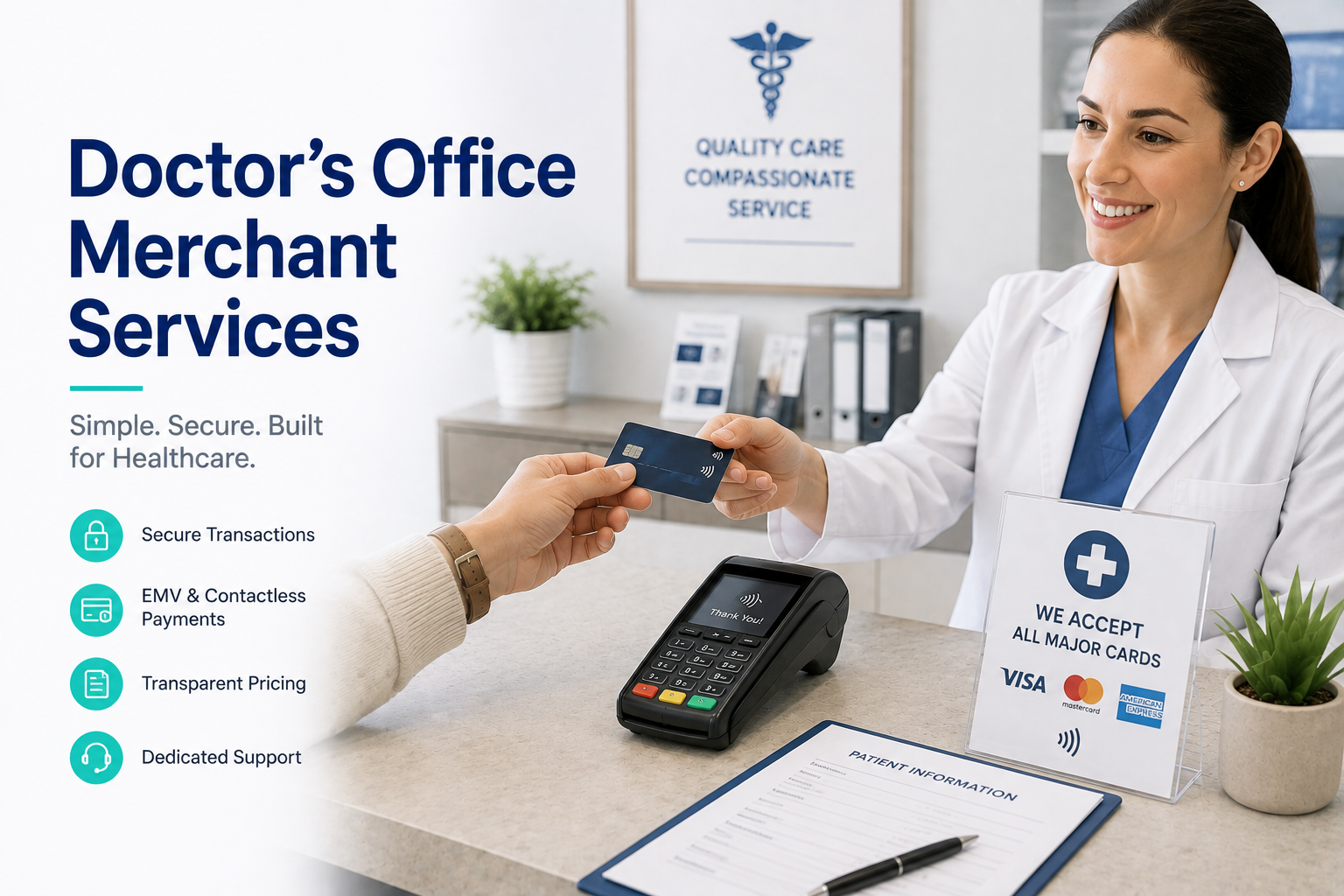
Most advice about doctor’s office merchant services is written for organizations that have a billing department. A large group practice has people whose entire job is claims, collections, and reconciliation. A small office does not. The front desk answers the phone, checks patients in, schedules follow-ups, chases balances, and takes payments, often while someone is standing at the counter waiting.

That difference should change what you buy, and usually does not. Small practices are frequently sold systems designed for organizations ten times their size, then pay monthly for capabilities nobody has time to use.

This guide covers what a smaller office genuinely needs from a payment provider, what practices routinely overpay for, and how to change providers without disrupting the front desk.

A Doctor’s Office Has Different Constraints

Three realities shape what works in a small practice, and none of them apply to a hospital system.

One person wears every hat. The office manager is also the billing department, the IT contact, and frequently the person who trains new staff. Any system that needs a specialist to operate is the wrong system.

There is no IT support. Nobody is on site to troubleshoot a terminal that stopped talking to the network. Whatever you use has to work without intervention, and when it does not, you need a person on the phone rather than a ticket queue.

Interruptions are expensive. In a large office a payment problem is an inconvenience. In a two-room practice it stops the schedule, because the person solving it is the same person checking in the next patient.

The practical consequence is that simplicity is not a compromise for a small office. It is the requirement.

What a Small Office Actually Needs

Strip away the sales sheet and the list is short:

  • Payments from the devices you already have. A web-based virtual terminal that works on any computer, tablet, or smartphone means no hardware to buy, install, or replace when it fails.
  • A way to take payment when the patient is not there. Balances after insurance are the hardest money to collect in a small practice. An emailed invoice or a keyed payment over the phone closes them without a mailed statement.
  • Securely stored cards. Tokenized storage handles payment arrangements and repeat charges without anyone keeping card details on a form behind the desk.
  • PCI-compliant processing. Encryption in transit and no card numbers living in your own systems, which shrinks what a small practice is responsible for protecting.
  • Receipts and one transaction history. Every payment in one list, however it was taken, so reconciliation is a five-minute task rather than an afternoon.
  • Individual logins. Even with three staff, each person should have their own access rather than a shared password on a sticky note.
  • Support you can reach. A phone number answered by someone who can fix it, because there is no internal fallback.

Notice what is absent: nothing here requires a dedicated billing specialist or an integration project.

What Small Practices Routinely Overpay For

The other half of the question is what to refuse. These show up on small-office statements constantly and rarely earn their cost:

Leased equipment. Terminal leases are among the most expensive line items a small practice carries, often running years past the point where the hardware is worth anything, under a separate agreement from the processing contract. If payments can be taken on devices you already own, the lease has no purpose.

Per-user or per-location licensing. Priced for organizations with dozens of staff, and a poor fit when you have four.

Integrations nobody switched on. Practices pay monthly for connections to systems they do not run, or that were configured once during onboarding and abandoned.

Monthly minimums. These punish smaller practices specifically. A minimum is only reached if you process enough, so a quiet month means paying a shortfall for transactions that never happened. Larger practices never notice this line; small ones pay it repeatedly.

Tiered pricing. Blending the card networks’ costs with the processor’s margin makes it impossible to see what you are actually paying for, which is precisely the point of the structure.

The Cost Question at Smaller Volume

Percentage-based pricing is usually discussed in terms of high-volume practices, where a fraction of a percent compounds into real money. At lower volume the problem inverts but does not disappear: the fixed monthly charges become a larger share of a smaller bill.

A practice processing modest monthly volume can easily find that statement fees, PCI charges, minimums, and an equipment lease cost more than the transaction fees themselves. The rate on the agreement becomes almost irrelevant.

Flat-rate pricing removes both problems at once. Some providers, including BlueYonder, charge one flat monthly rate for processing rather than a percentage plus extras, so the cost is identical whether the practice has a busy month or a slow one, and there is no minimum to fall short of. For a small office, the value is less about the total saved and more about knowing the number before the statement arrives. Our guide to credit card processing for medical practices covers how this compares across practice sizes.

Switching Without Disrupting the Office

The most common reason small practices stay with a provider they dislike is the fear that changing will break something during clinic hours. Two things make that easier than expected.

First, a web-based system needs no installation. If your staff can use a browser, they can take a payment, and training is measured in minutes rather than days.

Second, you do not have to cancel your existing processor to set up a new one. Running both briefly means the old system stays available while your team gets comfortable, and nothing depends on a single switchover day. Most practices do close the old account within the first month, but on their own schedule rather than under pressure.

If you are weighing providers more broadly, our post on how to choose the right provider for your medical credit card processing covers the evaluation criteria in more detail.

Merchant Services Sized for Your Practice

Good doctor’s office merchant services come down to a system your front desk can run without help, a way to collect from patients who have already left, and a cost you can predict without decoding a statement. Everything beyond that is worth questioning.

BlueYonder Corp works with solo physicians and small practices on flat monthly pricing, with no contracts, no equipment fees, and no hidden charges, using a virtual terminal your staff can use from the first day. See our medical merchant services page for what is included, visit our medical payment processing page, or call 800-270-9285 to talk through your setup.

Credit Card Processing Hidden Fees: How to Read Your Merchant Statement

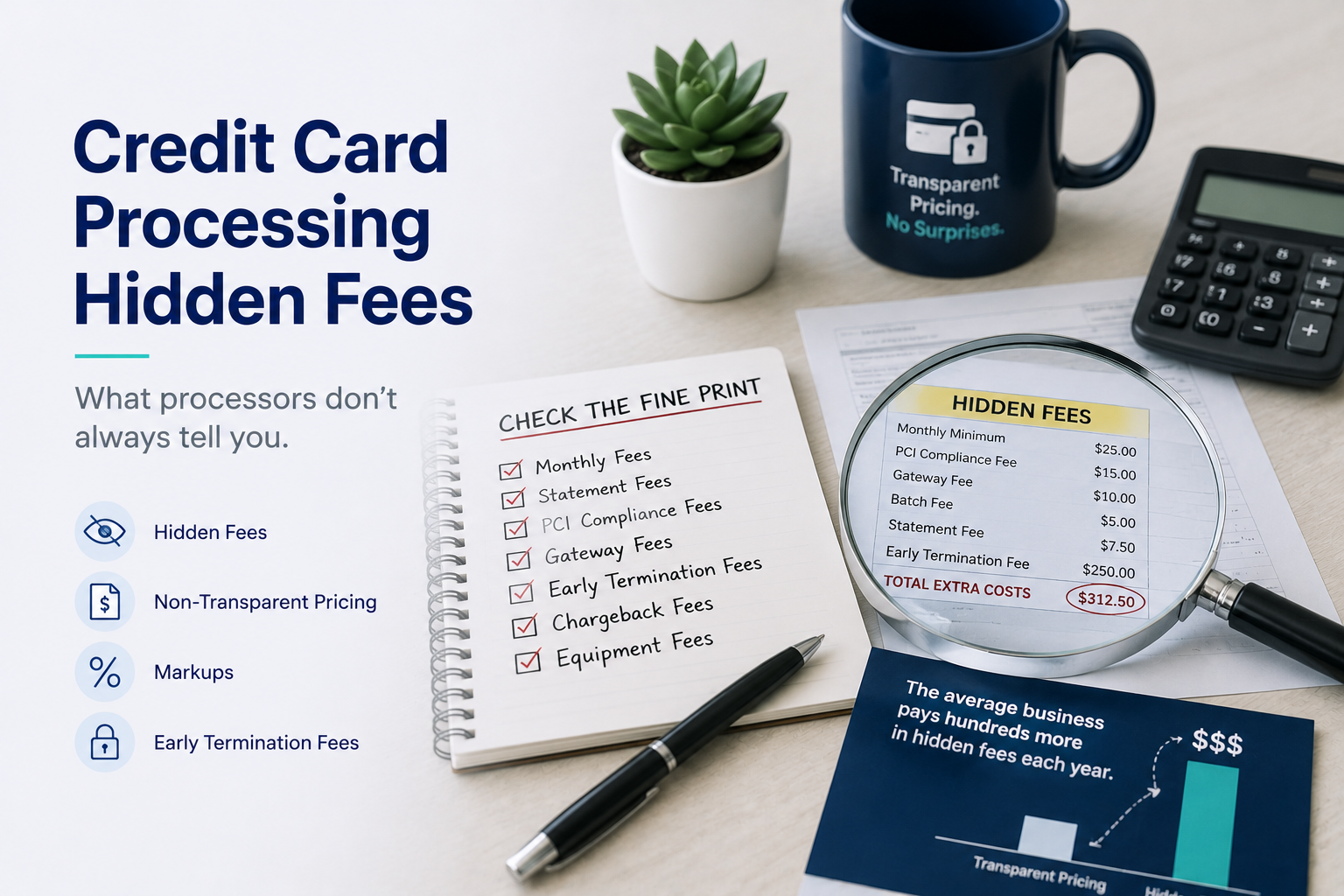
Credit card processing hidden fees are rarely hidden in the sense of being concealed. They are printed on your statement every month. The problem is that the statement is built in a way that makes them almost impossible to add up, which amounts to the same thing.

Most business owners know the rate they were quoted. Far fewer know what they actually paid last month once every line item is counted, and the gap between those two numbers is where processors make their margin. The good news is that you can close that gap in about fifteen minutes with a statement and a calculator.

This guide explains how processing costs are structured, which fees to look for, how to work out what you are really paying, and what to ask your provider.

Why Merchant Statements Are So Hard to Read

Every card transaction has three cost components, and only one of them is set by your processor.

Interchange goes to the bank that issued your customer’s card. It varies by card type, and a rewards card costs more to accept than a basic debit card. Your processor does not set this.

Assessments go to the card networks themselves. Also fixed, also not set by your processor.

The processor markup is everything else, and this is the part that is negotiable, variable, and where the fees people call hidden actually live.

A transparent statement separates these three. Many do not. When interchange and markup are blended into a single tiered rate, you cannot tell which part of your bill is unavoidable and which part is your provider’s margin, and that ambiguity is a feature rather than an oversight.

The Fees Worth Hunting For

Work down your statement and look for these. Not all are unreasonable, but all should be accounted for:

  • Monthly minimum. A floor on what you pay in processing fees. Have a quiet month and you are billed the difference for nothing.
  • Statement or service fee. A recurring charge for producing the document you are currently trying to decipher.
  • PCI compliance fee. A charge for compliance support, sometimes annual, sometimes monthly.
  • PCI non-compliance fee. Charged when your annual questionnaire lapses. Many businesses pay this for years without realizing a form would stop it.
  • Batch or settlement fee. Applied each time you close out a day’s transactions, so it scales with how often you settle.
  • Gateway or platform fee. A separate monthly charge for the software layer, sometimes billed by a different company than your processor.
  • Equipment lease. Often the most expensive item on the page over its full term, and frequently a separate agreement from your processing contract with its own non-cancellable term.
  • Annual fee. Appears once a year, which is exactly why it goes unnoticed.
  • Chargeback and retrieval fees. Charged per dispute, regardless of whether the dispute is resolved in your favor.
  • Early termination fee. Not on your monthly statement at all. It is in the contract, and you discover it at the worst possible moment.

Our post on what payment processing really costs you covers how these accumulate over time.

How to Work Out What You Are Really Paying

There is one number that cuts through everything above, and almost nobody calculates it: your effective rate.

Take the total amount of fees charged for the month, including every monthly and annual line item, not just the per-transaction costs. Divide that by your total sales volume for the month. Multiply by 100. That percentage is what accepting cards actually costs your business.

As an example, a business processing $50,000 in a month and paying $1,450 in total fees has an effective rate of 2.9%, regardless of what rate appeared on the original agreement. Run the same calculation across three consecutive statements and you will see whether your costs are stable or drifting upward.

Compare the result to what you believe you agreed to. If the effective rate is meaningfully higher, the difference is sitting in the line items you just listed. That difference, annualized, is the real number to take into any conversation about switching.

Questions That Get Straight Answers

Whether you are auditing a current provider or evaluating a new one, four questions do most of the work.

Can I have every fee in writing, including annual and conditional ones? A provider with nothing to hide can produce this on a single page. A long answer full of qualifiers is itself informative.

Is my equipment leased or owned? If leased, ask for the total remaining cost across the term rather than the monthly figure.

What is the early termination fee, and when does it expire? This determines whether switching costs you anything today.

Is my statement interchange-plus or tiered? Interchange-plus separates the three cost components. Tiered pricing blends them, which makes comparison difficult by design.

If you are setting up a new account rather than reviewing an old one, our guide to avoiding common mistakes when setting up a merchant processing account covers what to settle before you sign.

Pricing With Nothing to Hide

Every fee above exists because processing is priced as a percentage of your sales with extras layered on top. Change the pricing model and most of them have nowhere to live.

Flat-rate pricing charges one predictable monthly amount rather than a slice of every transaction. There is no effective rate to calculate, because the cost does not move with your volume, and there is no monthly minimum to trip because the amount is the same either way. Our explainer on what flat rate credit card processing is walks through how the two models compare.

What matters just as much is what a provider leaves out. No long-term contract, no cancellation penalty, no equipment charge, and no line items that appear between one statement and the next without explanation.

Start With Your Last Statement

Finding credit card processing hidden fees does not require an expert. Pull your most recent statement, list every charge that is not a per-transaction cost, calculate your effective rate, and compare it to the rate you think you agreed to. Most businesses are surprised by the answer, and the surprise is what makes the next conversation with a provider a productive one.

BlueYonder Corp charges one flat monthly rate for unlimited processing, with no contracts, no equipment fees, and no hidden charges. You can see how it works on our flat rate credit card processing page, or call 800-270-9285 and we will look at your current statement with you.

Virtual Terminal for Dental Practices: Taking Payments Beyond the Front Desk

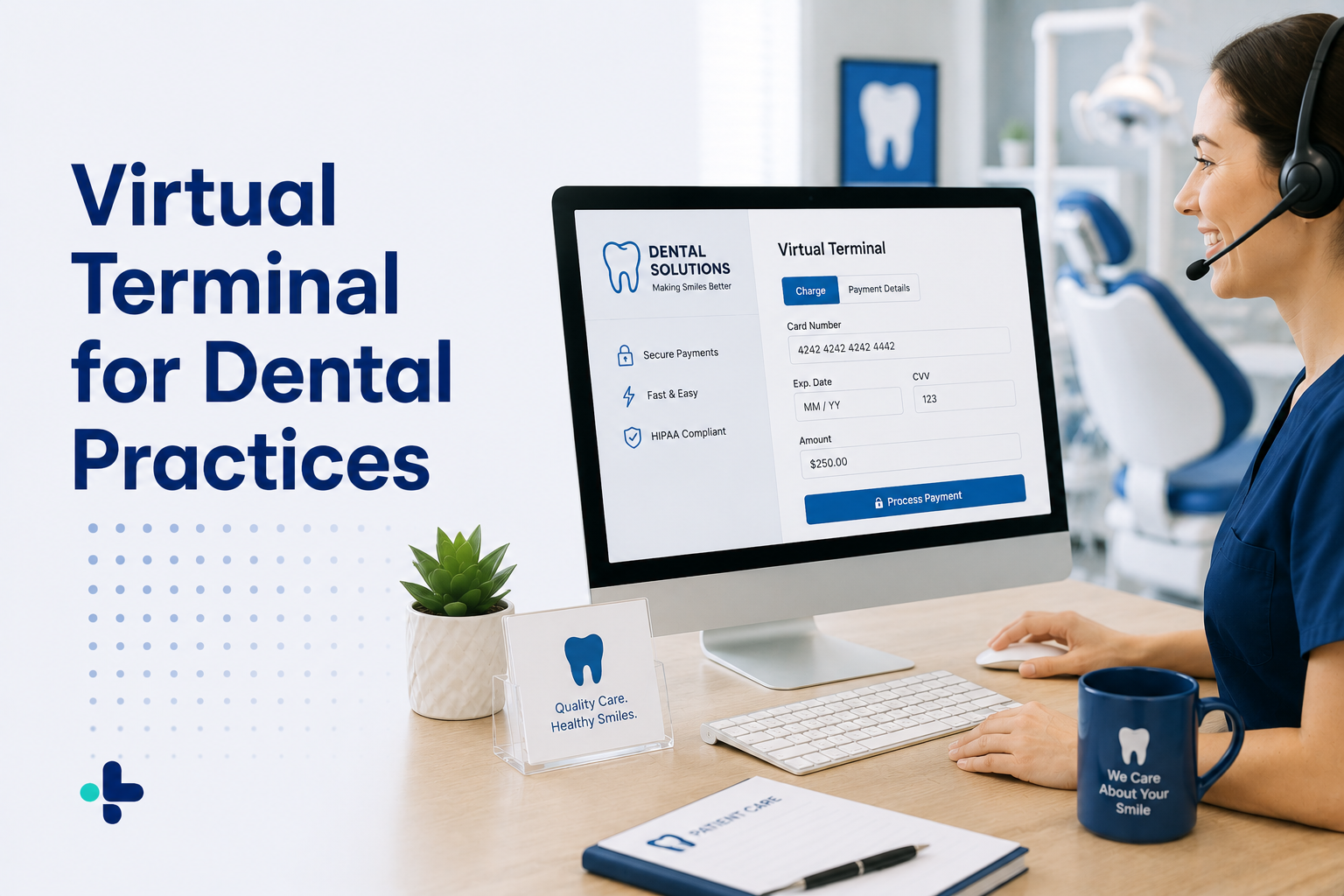
A virtual terminal for dental practices is simply a secure web page that lets your team take a card payment from any device, without a card reader in front of them. Log in, key in the amount and the card details, and the payment processes exactly as it would at the counter. No dedicated hardware, no separate machine to maintain.

It sounds like a small thing. In a dental practice it quietly solves a set of problems that come up every week: the treatment deposit taken over the phone at scheduling, the balance a patient wants to settle after insurance pays, the second location where nobody wants to buy another terminal, and the patient who calls back three days later to pay for a crown.

This guide covers what a virtual terminal does, where dental practices actually use one, how it differs from contactless payments at the desk, and what to look for.

What a Virtual Terminal Actually Is

A card reader is hardware. A virtual terminal is software, which is the whole difference. It turns any computer, tablet, or smartphone your practice already owns into a place where a payment can be taken securely.

The distinction that matters technically is card-present versus card-not-present. When a patient taps or inserts a card at the desk, that is a card-present transaction. When your treatment coordinator keys a card number in from a phone call, that is card-not-present. Both are legitimate and both are routine in dentistry, but they are handled differently by the payment system and they carry different security considerations, which is worth knowing before you set one up.

Because it is web-based, a virtual terminal is not tied to a location. The front desk, the treatment coordinator’s office, and a second practice site can all work from the same system and the same transaction history.

Where Dental Practices Actually Use One

Dental practices tend to find more uses for a virtual terminal than they expect, because so much dental revenue arrives outside the moment the patient is standing at the counter.

Treatment deposits at scheduling. A patient books a crown or an implant case and pays a deposit to hold the appointment, often on the phone days before the visit.

Balances after insurance. The claim comes back, the remainder is the patient’s, and now you are collecting from someone who left the office three weeks ago. A phone call and a keyed payment closes it in two minutes.

Staged payments on larger cases. Orthodontic and restorative cases are often paid across several visits. Combined with securely stored cards, staged payments stop being a manual task someone has to chase.

Membership plan billing. In-house plans only work when the monthly charge runs on schedule without anyone touching it.

A second location without a second terminal. A satellite office or a hygiene-only day at another site can take payments on a tablet rather than justifying more hardware.

Front desk overflow. When the counter is busy, any staff member with a login can take a payment from wherever they are, rather than queuing patients behind one machine.

Contactless Payments and What Patients Now Expect

Alongside remote payments, expectations at the counter have shifted. Patients are used to tapping a card or a phone everywhere else they spend money, and contactless payments for dentists have become part of what a modern checkout looks like rather than a premium feature.

The practical benefit is speed. Tap transactions are faster than inserting a chip card, which matters at a front desk where the next patient is already waiting and the phone is ringing. There is also a hygiene argument that patients became sensitive to and have not entirely let go of.

The two capabilities solve different problems and most practices need both. Contactless handles the patient in front of you quickly. A virtual terminal handles everyone who is not in front of you. If your current setup only does one, the gap usually shows up as balances that take too long to collect.

Security Considerations Worth Understanding

Card-not-present payments deserve slightly more care than a tap at the counter, mostly because of what happens around them rather than the transaction itself.

The main risk in a dental office is not the software. It is a card number written on a notepad during a phone call, or an authorization form sitting in a folder behind the desk. A virtual terminal removes the reason for both, because the number goes straight into the secure system instead of onto paper first.

Beyond that, the essentials are the same ones that apply to any payment tool in a practice: PCI-compliant processing so card data is encrypted in transit, tokenized storage so repeat charges never require handling the original number again, and individual staff logins so access can be scoped by role and traced. Our post on secure dental payment processing covers these practices in more detail.

What to Look For

Not every virtual terminal is equally suited to a dental practice. These are the details that matter:

  • Works on the devices you already own. Any computer, tablet, or smartphone, with no hardware purchase or lease required to get started.
  • Tokenized card storage. Essential for deposits, staged treatment payments, and membership plans, and the feature that keeps card numbers out of your own systems.
  • Receipts by email or print. Patients expect a receipt whether they paid at the desk or over the phone.
  • One transaction history. Payments taken at the counter, by phone, and by invoice should all land in the same record, or month-end becomes a reconciliation exercise.
  • Roles and permissions. Individual logins scoped to each staff member’s job, across every location.
  • ACH support. Useful when a patient prefers a bank transfer for a larger balance.

These are the capabilities behind BlueYonder’s dental merchant services, which is why a practice does not need to add a separate tool to take payments away from the front desk.

Getting Payments Off the Front Desk

A virtual terminal for dental practices is not a replacement for the terminal at your counter. It is the part of the system that covers everything the counter cannot: the deposit taken at scheduling, the balance settled by phone, the case paid across three visits, and the second location that never needed its own machine.

BlueYonder Corp includes a web-based virtual terminal with its dental payment processing program, on flat monthly pricing with no contracts, no equipment fees, and no hidden charges. For a broader look at what dental practices should expect from a provider, see our post on why dentist merchant services matter to dental practices, or call 800-270-9285 to talk through your setup.

HIPAA Compliant Credit Card Processing: What It Means for Your Practice

Search for HIPAA compliant credit card processing and you will find plenty of providers using the phrase as a badge. It is worth understanding what it actually means before you rely on it, because HIPAA and payment security are two different things that overlap in a narrow but important way.

The short version: HIPAA governs protected health information. The card networks govern card data through a separate standard called PCI DSS. A payment setup in a healthcare practice usually has to satisfy both, and a provider that only talks about one is telling you half the story.

This guide explains where the two standards apply, where everyday payment workflows create risk, and what to look for in a processor.

What HIPAA Covers, and What It Does Not

HIPAA protects protected health information, or PHI: information about a patient’s health, care, or payment for care that can be linked back to them. That last category is the one practices tend to overlook. Billing and payment records connected to an identifiable patient can fall under HIPAA even though nobody would call them clinical records.

Card numbers themselves are a different matter. A credit card number is financial data, not health data, and on its own it is governed by PCI DSS rather than HIPAA. The complication is context. A payment record that shows a named patient paid a specific practice for a specific procedure says something about that person’s care, and once payment data is tied to treatment detail it stops being purely financial.

This is why “HIPAA compliant” is not a certification a processor earns once and displays. HIPAA compliance describes how an organization handles PHI across everything it does. Payment processing is one part of that picture, and the practice remains responsible for the whole of it.

PCI DSS and HIPAA: Two Standards, Two Jobs

Practices often assume one standard covers both. It helps to keep the jobs separate.

PCI DSS is the payment card industry’s security standard. It governs how card data is captured, transmitted, and stored, and it applies to any business that accepts cards, from a coffee shop to a surgery center. Encryption, tokenization, and restrictions on storing card numbers all come from here.

HIPAA governs PHI, applies specifically to covered entities and their business associates, and is concerned with privacy and access as much as with technical security. Who can see patient information, under what circumstances, and what happens if that information is exposed.

A good payment setup satisfies PCI DSS for the card data and supports the practice’s HIPAA obligations for everything that identifies the patient. Neither one substitutes for the other.

Where Payment Workflows Create Risk

In most practices, the weak points are not the processor. They are the habits that grow up around it.

  • Card details written on paper. Authorization forms, sticky notes, and numbers jotted on a chart during a phone call are the most common exposure in a practice, and the easiest to eliminate.
  • Card numbers sent by email or text. Convenient, routine in some offices, and a poor fit for either standard.
  • Shared logins. When several staff members use one account, there is no way to tell who accessed what, which undermines the access controls both standards care about.
  • Card data stored in practice systems. Keeping full card numbers anywhere in your own systems expands what you are responsible for protecting, often for no operational benefit.
  • Payment records with unnecessary clinical detail. A transaction record rarely needs to describe the procedure. The less treatment detail attached to payment data, the smaller the overlap between the two standards.

Most of these disappear when the payment system makes the secure path the convenient one.

What to Look For in a Processor

When you evaluate providers for a healthcare setting, these are the capabilities that matter:

  • PCI-compliant processing. The baseline. Card data encrypted in transit so numbers are protected from the moment they are entered.
  • Tokenization for stored cards. If you take recurring or staged payments, the system should store a token rather than the card number, so repeat billing never requires anyone to handle the original details again.
  • A virtual terminal that removes paper. Being able to key a payment securely from any computer, tablet, or smartphone means phone payments do not get written down first.
  • Individual logins with roles and permissions. Each staff member with their own access, scoped to what their job requires, across every location.
  • A complete transaction history. Full records and receipts in one place, so you can answer questions about a payment without piecing it together from several systems.
  • Straight answers about agreements. Ask any prospective provider directly how they handle patient data and whether your setup calls for a business associate agreement. A provider that works in healthcare will have a clear answer.

Our guide to credit card processing for medical practices covers how these features fit into the wider set of things a practice needs from a processor, and credit card processing for medical offices looks at the same question from an office operations angle.

Practical Steps for Your Practice

Reducing risk is mostly about reducing how much sensitive data you touch in the first place.

Stop storing card numbers yourself and let tokenization do that work. Retire paper authorization forms in favor of taking the payment directly into the system. Give every staff member their own login and remove access when roles change. Keep clinical detail out of payment records where it serves no purpose. Train the front desk on what not to write down, because that single habit causes more exposure than most software gaps.

Because every practice’s obligations depend on its own systems and workflows, confirm your specific requirements with whoever advises you on compliance. What a processor can do is narrow the surface area you have to think about.

Security That Fits How Practices Work

HIPAA compliant credit card processing is less about a label on a website and more about whether your payment workflow quietly creates risk. A setup with encrypted transactions, tokenized stored cards, individual staff logins, and no paper card details behind the desk removes most of the everyday exposure without making the front desk slower.

BlueYonder Corp works with medical, dental, and veterinary practices on PCI-compliant processing with tokenized card storage and a virtual terminal your team can use from any device, on flat monthly pricing with no contracts or hidden fees. For more on how payment options affect the patient side of this, see our post on the role of credit card processing in improving patient payment options, or visit our medical payment processing page. To talk through your setup, call 800-270-9285.

Veterinary Credit Card Processing: How Clinics Get Paid Without Friction

Veterinary credit card processing has one defining feature that sets it apart from most of healthcare: the clinic collects the full amount at the time of service. There is no payer to bill and wait on. Most pet insurance works by reimbursing the owner after the fact, which means the client settles the bill at your front desk before they leave, every time.

That makes the payment step unusually important. It happens in the same few minutes as the goodbye, sometimes after difficult news, and often when the total is larger than the client expected. A slow or awkward checkout is not just an operational annoyance; it is the last thing the client remembers about the visit.

This guide covers how veterinary clinics actually collect money, what processing costs when everything runs through the card reader, and the features worth insisting on before you choose a provider.

How Veterinary Clinics Actually Collect Payment

Vet practices collect in more situations than most people assume, and each one puts a different demand on the payment system.

Checkout after an appointment. The core of the business. Routine wellness visits, vaccinations, and diagnostics all settle at the desk, usually while the next client waits.

Emergency and after-hours visits. Unplanned, frequently expensive, and often handled by whoever is on duty at two in the morning. The payment tool has to work reliably without the person who normally runs the front desk.

Surgical deposits and estimates. Larger procedures are commonly quoted in advance with a deposit taken at scheduling, then the balance collected at discharge. That means charging the same client twice, days apart, without re-collecting card details.

Wellness and preventive care plans. Monthly plans have become a standard way to spread routine care across the year. They only work if billing runs automatically on a schedule.

Retail, food, and medication sales. Prescription diets, parasite preventives, and take-home medication mean a clinic is running retail transactions alongside clinical ones.

Payments taken away from the desk. Curbside handoffs, boarding pickups, farm and mobile calls, and clients settling a balance by phone all require taking a payment somewhere other than the front counter.

Why Online Payments Matter More Than Vet Clinics Expect

Clinics often assume that because they collect at the time of service, they do not need remote payment options. In practice, the exceptions add up fast.

A client picks up a boarding pet while the office manager is out. A surgical deposit needs to be taken over the phone at scheduling. A discharge happens curbside. A client leaves owing a balance and now someone has to chase it.

Online payments for vet clinics solve all of these the same way: an emailed invoice or payment page the client can settle from a phone, and a virtual terminal your team can use from any device to key in a payment wherever they happen to be standing. Neither requires additional hardware, and both keep those payments in the same transaction history as everything else, which matters at month end.

What Veterinary Credit Card Processing Costs

Because virtually all revenue passes through the card reader, veterinary practices feel percentage-based pricing more acutely than businesses where card payments are one channel among several. Every wellness visit, every emergency, every bag of prescription food carries the same percentage off the top.

The larger transactions sting most. A complex surgery or an overnight emergency case can run into the thousands, and a percentage-based processor takes its cut of that number for doing exactly what it does on a $60 vaccination. The service did not change; only the amount did.

Then come the additions to the headline rate: monthly minimums, statement fees, PCI fees, equipment leases, and cancellation penalties. These rarely appear in the original quote and are the usual reason a statement does not match expectations. Our post on payment processing for veterinary practices looks specifically at where those costs come from and how they add up over a year.

Features Worth Insisting On

Whether you run a single-doctor clinic or a multi-location group with boarding and grooming, this is the short list that separates a processor suited to veterinary work from a generic one:

  • Security and PCI compliance: Card and banking data encrypted in transit and tokenized in storage, so client payment details are protected and never written on a chart or kept in a drawer.
  • A web-based virtual terminal: Taking payments from any computer, tablet, or smartphone means checkout is not tied to one machine at one desk, and no dedicated hardware is required.
  • Stored cards for deposits and plans: Tokenized storage lets you take a surgical deposit at scheduling and the balance at discharge, and makes monthly wellness plan billing automatic.
  • Emailed invoices and online payment: Outstanding balances and remote pickups get settled without a phone call and a card number read aloud.
  • ACH and electronic check support: Useful for larger balances, farm accounts, and clients who prefer bank transfers.
  • Receipts and transaction management: Printing or emailing receipts and reviewing full history in one place keeps reconciliation straightforward.
  • Multi-location roles and permissions: Practices with more than one site need everything on one platform, with access levels matched to each staff member’s role.

These are the capabilities behind BlueYonder’s veterinary merchant services, rather than a collection of add-ons from different vendors.

Why Predictable Pricing Suits Veterinary Practices

Veterinary revenue is uneven by nature. An emergency caseload, a seasonal surge in wellness visits, or a single major surgery can make one month look nothing like the last. Percentage-based pricing amplifies that swing on the cost side, exactly when it is least welcome.

Flat-rate pricing removes the variable. Some providers, including BlueYonder, charge one flat monthly rate for processing rather than a share of each transaction, so the cost is identical in a quiet month and a record one, and a large emergency case no longer carries a built-in penalty. If the model is new to you, our explainer on what flat rate credit card processing is walks through how it compares to percentage-based pricing.

What a transparent provider leaves out matters just as much: no long-term contract, no cancellation fee, no equipment charge, and no line items that show up between statements without explanation.

Choosing a Processor for Your Clinic

Three questions do most of the work. What is every fee, in writing? Transaction, monthly, statement, PCI, equipment, cancellation. What happens if I leave? A provider confident in its service does not need a penalty to keep your business. How fast can I reach a person? Payment problems in a vet clinic tend to happen at the worst possible moment, not during business hours.

Good veterinary credit card processing comes down to a checkout that never gets in the way, tools that work wherever your team is standing, and a cost you can predict before the statement arrives. BlueYonder Corp works with veterinary practices on flat monthly pricing, with no contracts, no hidden fees, and a virtual terminal your clinic can use from the first day. Practices in other fields can read our companion guide to credit card processing for medical practices. When you are ready, call 800-270-9285 and one of our account specialists will walk you through what switching would look like.

Healthcare Merchant Services: What Providers Should Look For

Healthcare merchant services cover the systems a provider uses to accept payment from patients: card terminals, online and phone payments, stored cards for payment plans, and the reporting that ties it all back to the practice’s books. The term gets used loosely, which is part of the problem. A solo dental office, a five-provider medical group, and a busy veterinary clinic are often sold the same package, even though the way each one collects money looks nothing alike.

The stakes have risen, too. Patients now cover a larger share of their own care through deductibles, copays, and elective procedures, so more of a practice’s revenue arrives directly from the patient rather than from a payer. That shifts collection onto your front desk and your billing staff, and it makes the tools they use worth a serious look.

This guide covers what healthcare merchant services actually include, where requirements differ between practice types, what the fees really cost, and how to evaluate a provider before you commit.

What Healthcare Merchant Services Include

Stripped of the sales language, a healthcare merchant account needs to handle four situations. Most providers encounter all four in a normal week.

Payments taken in person. The copay or balance collected at check-in or check-out, where speed matters because someone is standing at the desk.

Payments taken remotely. Balances after insurance adjudicates, collected days later by phone, emailed invoice, or an online payment page.

Scheduled and repeat payments. Treatment plans, membership programs, and payment arrangements that require securely stored payment details rather than a card number written on a form.

Reconciliation and reporting. Receipts, transaction history, and records your billing staff can match against patient accounts without exporting three different reports.

A retail-oriented merchant account handles the first well and treats the rest as an afterthought. That is the gap most practices eventually run into.

Where Requirements Differ by Practice Type

The common core above applies everywhere in healthcare. What changes is the emphasis, and getting this wrong is how practices end up paying for features they never use while missing the one they need.

Medical practices deal with the widest gap between the date of service and the date of payment, because so much depends on what the payer covers. The priority is collecting remote balances easily and keeping card data secure across a longer billing cycle. Our guide to credit card processing for medical practices goes deeper here, and you can see how it works in practice on our medical merchant services page.

Dental practices see the widest range of transaction sizes, from a small hygiene copay to a five-figure restorative or orthodontic case. Stored cards and staged payments matter more here than anywhere else, along with pricing that does not punish the practice for larger cases. See our dental payment processing page for how that applies day to day.

Veterinary clinics collect nearly everything at the time of service, often at emotionally difficult moments, and frequently outside normal hours. Speed, reliability, and the ability to take a payment from wherever the client happens to be standing carry more weight than long billing cycles. Our veterinary credit card processing page covers that setting.

Specialty and elective providers handle fewer transactions at higher values, which makes percentage-based pricing especially expensive and payment plans especially important.

Features Worth Insisting On

Across every one of those settings, the same short list separates a processor equipped for healthcare from a generic one:

  • Security and PCI compliance: Payment data encrypted in transit and tokenized in storage, so card and banking details are protected and never kept informally by staff.
  • A web-based virtual terminal: Taking payments from any computer, tablet, or smartphone, so the front desk, the billing office, and a second location all work from one system with no dedicated hardware to buy or maintain.
  • Stored cards for recurring and staged payments: Tokenized storage makes payment plans and membership billing routine instead of a manual task someone has to remember.
  • ACH and electronic check support: Larger balances often move by bank transfer, and keeping those in the same workflow avoids a second reconciliation process.
  • Invoices and online payment options: Post-insurance balances get paid faster when a patient can settle them from an email or a payment page.
  • Receipts and transaction management: Printing or emailing receipts and reviewing full history in one place keeps month-end simple.
  • Multi-location roles and permissions: Growing groups need every location on one platform, with access levels matched to each staff member’s role.

These are the capabilities behind BlueYonder’s merchant services for healthcare providers, rather than a set of add-ons assembled from separate vendors.

What Healthcare Credit Card Processing Actually Costs

Most healthcare credit card processing is priced as a percentage of every transaction, which has an awkward consequence: the more you collect, the more you pay, even though nothing about the service changed. A practice collecting $50,000 a month hands over a four-figure sum annually before a single additional fee is counted. Collect twice as much and the number doubles.

Those additional fees are usually where the real damage is. Statement fees, monthly minimums, PCI fees, equipment leases, and cancellation penalties appear routinely on healthcare processing statements and rarely appear in the original quote. If reconciling your statement against what you expected to pay has ever taken longer than a few minutes, you have already met this problem.

Flat-rate pricing takes the opposite approach. Some providers, including BlueYonder, charge one flat monthly rate for processing rather than a share of each transaction, so the cost is the same in a slow month as in a record one. Budgeting becomes a single predictable line, and growth stops carrying a penalty. What a transparent provider leaves out matters equally: no long-term contract, no cancellation fee, no equipment charge, and no line items that appear without explanation.

How to Evaluate a Provider

Four questions will tell you most of what you need to know.

Can I see every fee in writing? Transaction, monthly, statement, PCI, equipment, cancellation. An answer that runs long or arrives with asterisks is itself the answer.

What are the contract and cancellation terms? A provider confident in its service does not need a penalty to keep your business.

Do you work with practices like mine? A provider handling healthcare accounts daily already understands stored cards, payment plans, and the privacy expectations around patient billing. You should not have to explain your requirements twice.

How quickly can I reach a person? Payment problems happen mid-appointment, not at a convenient hour.

It is also worth understanding where the industry is heading before you sign a multi-year agreement. Our look at the future of medical payments covers the direction payment technology is moving in healthcare.

Choosing Healthcare Merchant Services That Fit

The right healthcare merchant services come down to three things: security your patients can trust, tools that match how your specific setting collects money, and pricing you can predict before the statement arrives. Practices that get those right stop thinking about payments altogether, which is the point.

BlueYonder Corp works with medical, dental, veterinary, and specialty providers on flat monthly pricing, with no contracts, no hidden fees, and a virtual terminal your team can use from the first day. Call 800-270-9285 and one of our account specialists will walk you through what switching would look like for your practice.